
How to Choose the Right Power Supply Unit for Your Needs?
Choosing the right power supply unit (PSU) is more crucial than many realize. A PSU is the backbone of your computer system. It converts AC power to DC power, supplying energy to all components. Selecting a reliable PSU ensures stability and longevity.
Many factors influence this choice. Wattage is paramount; it determines how much power your system can draw. Efficiency ratings also matter. A high-efficiency PSU reduces electricity costs and heat generation. Brands with a good reputation often offer better quality.
However, common errors can undermine this decision. Many users overlook connector types or fail to consider future upgrades. A PSU might be sufficient today but inadequate tomorrow. Reflecting on your current and future needs can prevent costly mistakes. Investing time in research will yield a reliable power supply unit, ensuring your system runs smoothly.
Understanding the Basics of Power Supply Units (PSUs)
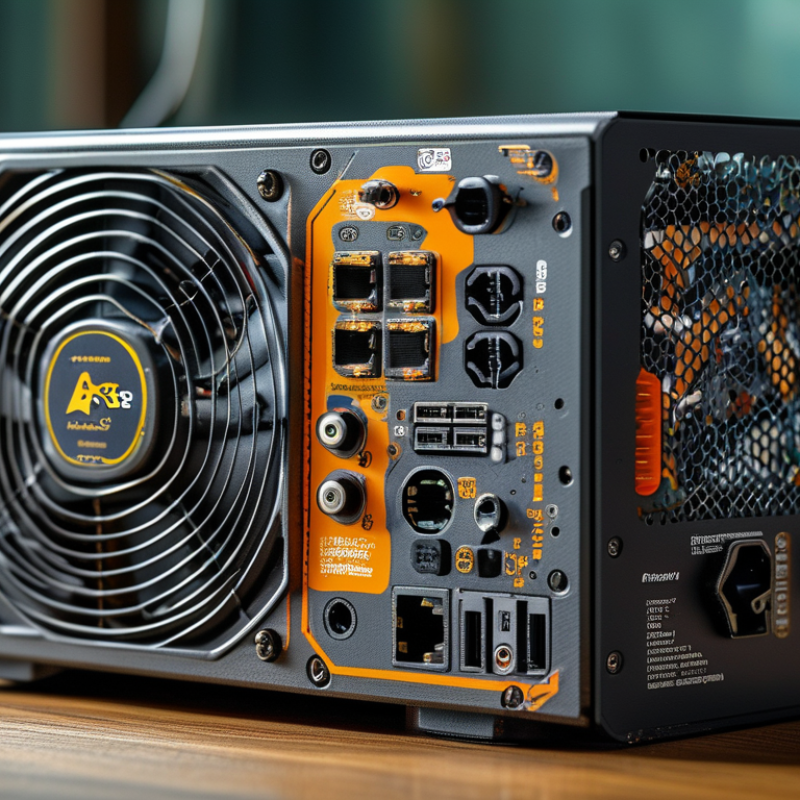
When selecting a power supply unit (PSU), understanding its fundamentals is crucial. A PSU converts mains AC to low-voltage regulated DC power for computer components. The efficiency rating of PSUs is a key factor. Reports indicate that an 80 PLUS certified PSU can be up to 20% more efficient than non-certified units. This translates to lower energy bills and reduced heat output.
Rated wattage is another critical aspect. Users tend to underestimate their power needs, leading to potential system instability. A study found that 30% of users experienced issues due to insufficient wattage. It's generally recommended to select a PSU that offers 20% more power than your system requires. This overhead ensures longevity and reliability.
Cables and connectors also matter. Many users overlook the types of connectors needed for modern graphics cards and other components. Missing connectors can result in performance bottlenecks. Furthermore, airflow and cooling play a vital role in a PSU’s longevity. Dust buildup can reduce efficiency, making regular maintenance essential. By considering these elements, users can avoid common pitfalls and ensure a stable power supply for their systems.
Power Supply Unit (PSU) Efficiency Ratings
Identifying Your Power Requirements for Optimal Performance
When selecting a power supply unit (PSU), understanding your power requirements is crucial. Assess how much wattage your components will need. For instance, more advanced CPUs and GPUs can require up to 750 watts or more. The overall wattage will determine the efficiency and stability of your system.
Consider the concept of headroom. Ideally, your PSU should operate at around 50-70% of its maximum capacity. This practice not only prolongs the unit's lifespan but also enhances efficiency. According to industry reports, running a PSU at its full capacity can bring forth overheating issues and eventual failure.
Tips:
- Always add 20% to your total wattage calculation for future upgrades.
- Evaluate the efficiency ratings. Look for at least an 80 Plus Bronze rating.
- Research different PSU types, such as modular, semi-modular, and non-modular, to find the best fit for cable management.
Remember, choosing a PSU isn't just about numbers; understanding your unique requirements is vital for optimal performance. A well-chosen PSU can lead to a stable and efficient system while cutting down on unnecessary expenses.
Evaluating Efficiency Ratings and Certifications in PSUs
When choosing a power supply unit (PSU), efficiency ratings and certifications are crucial. High efficiency means less energy waste. This not only helps your electricity bills but also keeps your system cooler. Common certifications like 80 PLUS indicate the PSU’s performance at varying loads. A Bronze rating is decent, but Silver and Gold offer better efficiency. Striving for at least an 80 PLUS Gold certification is often recommended for high-performance systems.
When evaluating these certifications, it’s important to understand what they mean. For instance, Gold-rated units must maintain at least 87% efficiency at a 20% load. This translates to less heat and more reliable operation. Many consumers overlook this detail when making a purchase. Simply opting for a high wattage does not guarantee quality. The specifics of efficiency ratings can often feel overwhelming, but they serve a key purpose.
Moreover, a PSU’s effectiveness should reflect its actual use case. Some units may excel in lab tests but underperform under real-world conditions. It’s beneficial to read reviews, yet user experience can vary widely. Assessing real-time feedback is essential. If you find discrepancies between specifications and performance, reconsider your choices. Making an informed decision requires diligence and an understanding of efficiency ratings.
Exploring Different Types of PSUs: Modular, Non-Modular, and Hybrid
When selecting the right power supply unit (PSU), understanding the types available is crucial. Modular PSUs allow users to connect only necessary cables. This minimizes clutter and improves airflow within the case. With modular units, upgrading or troubleshooting becomes easier. However, they can be more expensive.
Non-modular PSUs come with all cables permanently attached. They are often more affordable and straightforward. But this can lead to a mess of unused cables inside your system. If you are building a compact computer, this might not be ideal. Think about how cable management impacts your overall build.
Hybrid PSUs combine features of both modular and non-modular designs. They offer detachable cables for key components but keep some cables fixed. This balance can appeal to many users. However, it may not suit everyone. Assess your needs and preferences carefully. Each type has its pros and cons, so consider what matters most to your setup.
Considerations for Future Upgrades and Compatibility in PSU Selection
When selecting a power supply unit (PSU), consider future upgrades and compatibility. It's essential to understand your system's power requirements. Look at your current components and think about potential upgrades. A PSU with more wattage can accommodate additional hardware without needing an immediate swap.
When choosing a PSU, check for modularity. Fully modular units allow you to connect only the cables you need. This feature minimizes clutter and improves airflow in your system. Also, make sure your PSU has the correct connectors for your motherboard, CPU, and GPU. Not all PSUs are compatible with every component, which can lead to frustration during installation.
Tips: Keep an eye on efficiency ratings. A more efficient PSU can save on energy costs. Consider a PSU with a higher efficiency rating to future-proof your investment. Don't overlook noise levels; some units can be quite loud under load. Balanced choices lead to smoother upgrades. Your choice today impacts your experience tomorrow.
Related Posts
-
How to Choose the Right PC Power Supply for Your Gaming Setup
-
Why You Should Choose the Right Power Supply Unit for Your Computer
-
How to Choose the Right Computer Power Supply for Your Needs?
-
Addressing Common Issues with DC Supply Systems: A Comprehensive Guide
-
Understanding the Differences in Power Supply Unit Technologies
-
Unlocking Efficiency: How Switching Power Supplies Transform Modern Electronics

At Premium PSU, we are specialists in designing and manufacturing power conversion systems for the industrial market. Our product range includes high reliability power supplies from 50W to 72kW.
PREMIUM PSU
C/ Dolors Aleu, 19-21, 2nd Floor
08908 – Hospitalet de Llobregat
Barcelona-SPAIN
t.+34 93 223 26 85