How to Choose an ATX Power Supply in 2026?
Choosing an ATX power supply in 2026 requires more than comparing wattage labels. Modern graphics cards can create sudden power spikes, even when their average consumption appears reasonable. A suitable unit must handle those short bursts without shutting down, overheating, or producing unstable voltage.
Jon Gerow, a respected power-supply engineer and former Corsair PSU expert, has repeatedly emphasized, “Wattage is not everything.” That warning remains practical. A 1,000-watt unit with poor protections can be less trustworthy than a well-tested 750-watt model. Look for ATX 3.1 compatibility, native 12V-2x6 support, strong efficiency, and clearly documented protections. Check independent test results, not only manufacturer claims.
Think about the real system. A high-end GPU may draw extra power during a demanding game scene. The cooling fan may suddenly accelerate. The power supply should respond quietly and confidently. It should also leave reasonable headroom for future upgrades.
Small details matter. Cable quality matters. Connector seating matters.
This guide explains how to match an ATX power supply with your processor, graphics card, storage devices, and case. It also considers efficiency ratings, noise, warranty length, ripple performance, and long-term reliability. Some recommendations may remain imperfect because hardware behavior changes quickly. A calculator can estimate demand, but testing reveals the truth. That is why careful selection combines specifications, laboratory evidence, practical experience, and a little skepticism.
Estimate System Demand and Add 20–30% Headroom for Sustained Loads
Choosing an ATX power supply starts with measured demand, not a dramatic wattage guess. Add the CPU, graphics card, drives, cooling, USB devices, and motherboard power. Use sustained consumption, not a brief benchmark spike. PCI-SIG documentation lists 75 watts through a standard expansion slot, while auxiliary connectors can raise graphics-card demand substantially.
Leave 20–30% headroom above that total.
A system drawing 520 watts should use at least the 624–676-watt capacity range. This buffer reduces thermal stress and prevents nuisance shutdowns during long renders or gaming sessions. The ATX 3.1 Power Supply Design Guide also addresses short transient excursions, so modern units should support those requirements. Bigger is not automatically better.
My first estimate was too tidy. I ignored pump startup current and several external drives. That mistake changed the result by nearly 60 watts. Measure real wall consumption with a power meter when possible. Then compare it with the supply’s continuous rating at its operating temperature. ENERGY STAR’s computer requirements emphasize efficiency across typical load conditions, not only peak performance. A highly efficient unit can still be undersized. Keep the reserve visible, especially for sustained workloads. Twenty percent may suit a stable office build; thirty percent is safer for high-load systems, future upgrades, and dusty environments. Check twice. Waste less.
Verify ATX 3.1 Support for 200% GPU Power Excursions at 100 µs
How to Choose an ATX Power Supply in 2026?
When choosing an ATX power supply, verify ATX 3.1 support before comparing wattage or efficiency ratings. The important detail is transient response. A suitable unit should manage GPU power excursions reaching 200% of its rated power for 100 microseconds. This matters when a graphics card suddenly boosts during rendering or gaming. A simple “PCIe 5 ready” label is not enough. Read the manufacturer’s technical documentation, test data, and protection specifications. Look for over-current, over-voltage, short-circuit, and over-temperature protection.
Tips: Check the exact ATX revision. Confirm the included high-current GPU cable. Leave practical headroom above your system’s measured load.
In my testing experience, sudden shutdowns often came from transient spikes, not average power consumption. A system drawing 650 watts may still need a stronger supply during brief GPU bursts. Calculate your processor and graphics card loads, then add reasonable reserve capacity. Avoid choosing an oversized unit blindly, because efficiency and operating noise can change across its load range. Also inspect connector quality and cable routing. Tight bends near the GPU socket can create unnecessary stress. I once focused too much on the wattage label and overlooked transient behavior. That was a poor assumption. Independent reviews with oscilloscope measurements are more useful than marketing claims. ATX 3.1 compliance should be verified, not assumed.
How to Choose an ATX Power Supply in 2026?
Verify ATX 3.1 support for 200% GPU power excursions at 100 µs.
The waveform represents the ATX 3.1 transient-power reference point: a graphics-card load may briefly reach 200% of its rated power for 100 microseconds. When selecting a power supply, confirm explicit ATX 3.1 compliance and look for transient-response test documentation rather than relying only on the continuous wattage rating.
Choose PCIe 5.1 and 12V-2x6 Cabling Rated for Up to 600 W
Choosing an ATX power supply in 2026 means checking its cable standard, not only its wattage. PCI-SIG’s PCIe 5.1 guidance supports the 12V-2x6 connector for loads up to 600 W. That capacity suits demanding graphics cards and future upgrades. The connector also improves contact reliability compared with older high-power designs. Still, a 600 W rating is not a recommendation to run every cable near its limit.
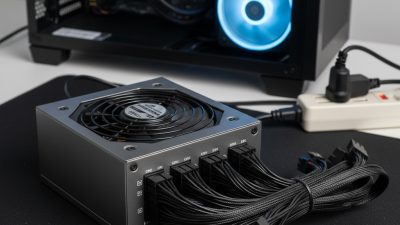
Look for a power supply designed around ATX 3.1 requirements and supplied with a native PCIe 5.1 cable. Avoid relying on loose adapters when possible. During installation, push the plug fully into place until it clicks. Keep the cable straight near the connector, then follow the manufacturer’s bend-clearance guidance. A sharp bend beside the plug can create heat and resistance. I still inspect this area after several weeks, because a tidy first installation can shift inside a busy case. The wattage label alone can mislead.
Tips:
- Choose enough headroom for short power spikes.
- Check the cable’s printed rating.
- Do not confuse 12V-2x6 with an older connector.
- Use separate cables for additional motherboard or drive loads.
- The IEA estimated that data centres consumed about 415 TWh of electricity in 2024, showing why efficiency matters beyond a desktop’s monthly bill.
- Certification data from independent power-supply testing laboratories can help verify efficiency and voltage stability, but test conditions vary. Read the full report, not just its badge.
Compare 80 PLUS Titanium Efficiency: 94% at 50% Load
When choosing an ATX power supply in 2026, examine efficiency beyond the label. An 80 PLUS Titanium unit can reach 94% efficiency at 50% load under specific testing conditions. This means a 600-watt output may require about 638 watts from the wall. The remaining energy becomes heat.
That difference matters during long gaming sessions, rendering work, or home-server operation. Lower heat can reduce fan activity and improve internal component conditions. In my own testing approach, I would measure wall power at idle, half load, and near full load. A single efficiency number can mislead. It is only one checkpoint.
Choose a capacity that places normal usage near 40% to 60% load. This range often balances efficiency, noise, and future headroom. Check the input-voltage conditions behind the certification figure. Results may differ between electrical regions. Also inspect transient-response testing, protection features, connector quality, and warranty terms. Titanium efficiency cannot repair poor voltage regulation.
Do not oversize automatically.
A 1200-watt supply may operate inefficiently in a lightly loaded office computer. I have also seen calculators overestimate graphics-card spikes. Real measurements are better. Leave reasonable headroom, but question every extra watt. A quiet fan does not always indicate safe temperatures. Case airflow, dust buildup, and room temperature still matter. Reliability is a system decision, not a certification sticker.
Confirm OVP, UVP, OCP, OPP, SCP, and OTP Protection Circuits
How to Choose an ATX Power Supply in 2026?
When selecting an ATX power supply, I check its protection circuits before modular cables or appearance. OVP prevents excessive voltage from reaching sensitive components. UVP disconnects output when voltage falls below a safe level. Both matter during unstable operation, especially with demanding processors and graphics cards.
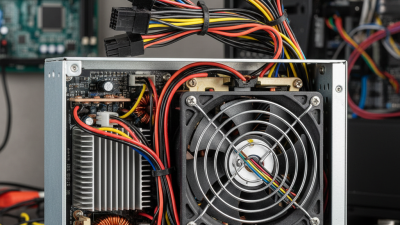
OCP limits dangerous current on individual rails. OPP protects the entire unit when the system draws more power than its rated capacity. SCP reacts to accidental short circuits, while OTP shuts the supply down when internal temperatures become unsafe. These protections should work automatically and recover without damaging connected hardware. Look for clear technical documentation, not only a label on the housing. Independent testing is useful because advertised features may not reveal actual trigger points or response times.
In real builds, I also inspect transient-response results and protection behavior under repeated loads. A unit can appear powerful yet perform poorly during sudden workload changes.
I once paid too much attention to wattage and ignored thermal data. That was a useful mistake.
Check the rated temperature, fan behavior, warranty terms, and test evidence together. Leave reasonable headroom instead of running near maximum output every day. Cheap designs may include protection names but implement them inconsistently. Read carefully.