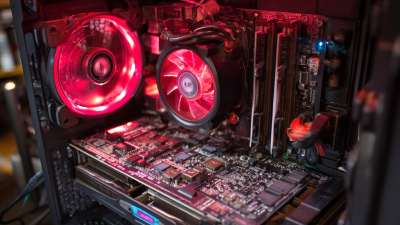
What is an ATX Power Supply and How Does It Work?
An ATX power supply is essential for modern computer systems. It provides power to various components, ensuring they operate smoothly. Understanding its functions can help you make informed choices when building or upgrading your PC.
An ATX power supply converts electricity from an outlet into usable power for the computer. It supplies different voltage levels to components like the motherboard, CPU, and hard drives. This system might seem straightforward, but it has complexities. Many users overlook the importance of wattage and efficiency ratings. These factors impact performance and reliability.
The internal wiring and connectors are crucial elements as well. A faulty connection can lead to hardware damage. Observing these details is vital. However, some users may ignore the potential for wear and tear on older units. Recognizing the need for regular checks could prevent issues. Ultimately, knowing what an ATX power supply does and how it works improves your computing experience.
What is an ATX Power Supply?
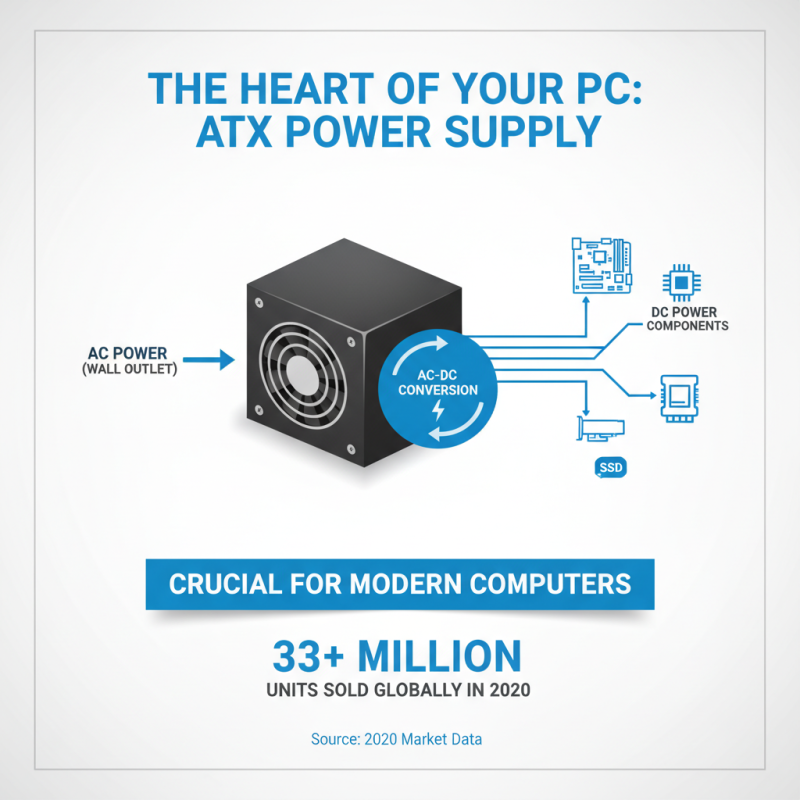
An ATX power supply is a crucial component in modern computer systems. It transforms electrical power from an outlet into usable power for various parts of the computer. This transition involves converting AC (Alternating Current) to DC (Direct Current), which is required by most computer components. In 2020, over 33 million units of ATX power supplies were sold globally, highlighting their importance in the tech market.
The efficiency of power supplies is vital. According to a report by the U.S. Department of Energy, inefficient power supplies waste significant energy. The standard ATX PSU has an average efficiency of around 80%. However, many units struggle to reach that mark, leading to potential overheating and higher electricity bills. This inefficiency often goes unnoticed by users, who may only realize the issue when performance lags or components fail.
Installation can also be tricky. The challenge comes not just from connecting wires, but from ensuring proper airflow and cable management. Many first-time builders overlook this, leading to cramped spaces inside the case. Poor airflow can hinder cooling, resulting in thermal throttling of components. This scenario is a common pitfall for beginners, reminding us to prioritize organization and efficiency when setting up systems.
Key Components of an ATX Power Supply
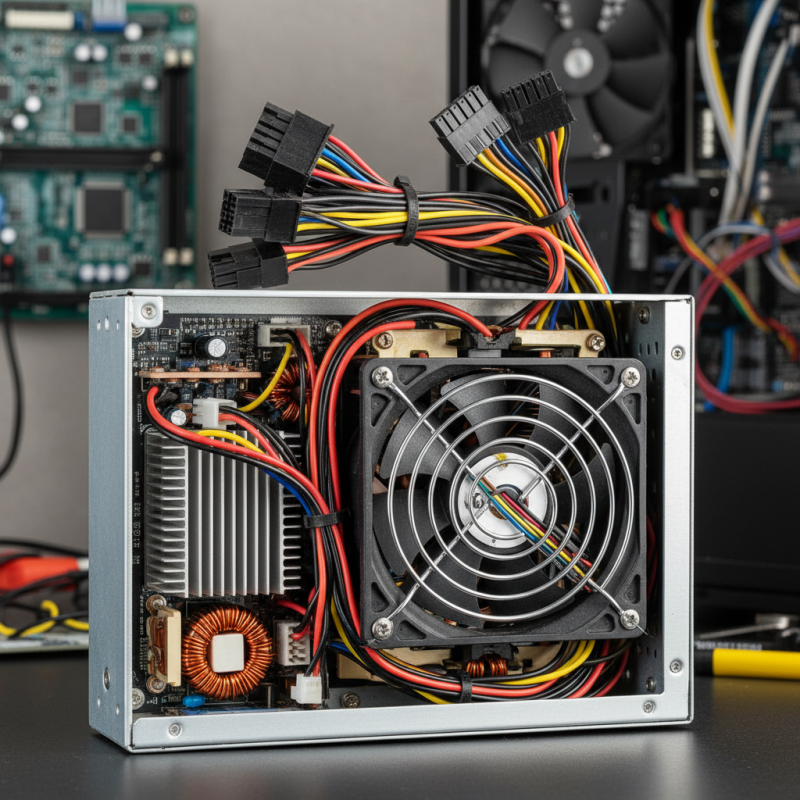
An ATX power supply is essential for computer systems. Key components within an ATX power supply include the transformer, capacitors, and cooling fan. The transformer converts high voltage AC to low voltage DC. This process is critical for powering various components within the PC. Capacitors smooth out the voltage, ensuring a steady power flow. They store energy and help maintain stability during high loads.
Cooling fans play a crucial role in maintaining optimal temperature. Overheating can damage components. A study from the Electric Power Research Institute states that effective cooling can extend a power supply’s lifespan by 30%. Some designs, however, may struggle with airflow, leading to thermal throttling. Creating an efficient thermal management system is vital.
Moreover, connectors are vital components. They link the power supply to the motherboard and peripherals. Standard ATX connectors include the 24-pin main and 4/8-pin CPU connectors. A lack of proper connections can lead to system instability. Many builders overlook the quality of these connections, which can impact performance. Ensuring all connections are secure helps prevent failure during high-demand scenarios.
How Does an ATX Power Supply Work?
An ATX power supply is crucial for powering computer components. It converts electrical power from an outlet into usable power for the motherboard, graphics card, and other parts. An ATX unit typically has several outputs, including +3.3V, +5V, and +12V lines. Its design follows specific standards, providing stable voltage and current.
The operation of an ATX power supply involves a process called switching. Switching regulators convert AC power into the required DC voltages. This method enhances efficiency, reducing the amount of heat generated. According to industry research, modern ATX power supplies can achieve over 90% efficiency under typical loads. That translates to less wasted energy and lower electricity bills.
**Tips:** Regular cleaning of your power supply can improve longevity. Dust buildup can lead to overheating and failures. If you notice unusual noises, it may signal a failing fan or other issues. Consider replacing the unit if repairs are costly. Also, when upgrading components, ensure your power supply can handle the increased load. A weak unit can damage other parts.
Design flaws are a common issue. Some ATX models overestimate their rated wattage. This can lead to system instability under heavy loads. Use tools to measure actual load and adjust your setup accordingly. Careful monitoring helps prevent problems before they arise.
Common Types of ATX Power Supplies
When exploring ATX power supplies, it's essential to understand the various types available in the market. The most common ones include Standard ATX, ATX12V, and Compact ATX models. Standard ATX power supplies typically provide 450-850 watts. They are suitable for most desktop builds. However, as gaming and high-performance needs grow, users may require power supplies with higher wattage.
ATX12V models are tailored specifically for modern systems. These units often come with multiple 12V rails, ensuring stable voltage delivery. Reports show that over 60% of new builds now opt for ATX12V due to the growing demand for powerful GPUs. Additionally, Compact ATX units are designed for smaller cases but may compromise on power output. They usually range from 300 to 500 watts. A recent survey indicated that users often underestimate the wattage required for their systems, leading to potential performance issues.
Choosing the right type often involves weighing power needs against physical space constraints. A Compact ATX might fit better in tight spaces, but underpowered systems can lead to instability. It’s crucial for users to assess whether their components demand more power. Overlooking this aspect might not yield immediate effects, but it can lead to future inconveniences.
Installation and Troubleshooting of ATX Power Supplies
Installing an ATX power supply can be straightforward, but challenges may arise. The first step is to ensure your workspace is clean and static-free. Ground yourself to avoid damaging components. After carefully positioning the power supply in the case, align it with screw holes and secure it. Over-tightening can cause metal fatigue. It’s crucial to connect the main power cable to the motherboard properly. Missing this step can lead to startup failures.
Troubleshooting issues can be tricky, especially if the system won’t boot. Double-check all connections. A loose cable can mean the difference between power and silence. Listen for unusual sounds, such as clicks or whirrs, indicating a problem. If the power supply feels hot, it may be overworked. Consider checking for dust buildup, which can block airflow. Sometimes, a power supply just fails without warning, leading to uncertainty and frustration. Always keep spare cables around for quick replacements.
What is an ATX Power Supply and How Does It Work? - Installation and Troubleshooting of ATX Power Supplies
| Parameter | Description | Typical Value |
|---|---|---|
| Form Factor | Standard size and shape of the power supply | ATX |
| Power Output | Total wattage the power supply can provide | 400W - 1200W |
| Efficiency Rating | How effectively the power supply converts AC to DC | 80 Plus Bronze/Silver/Gold/Platinum |
| Connectors | Types and number of connectors available | 24-pin, 8-pin, 6-pin, SATA |
| Cooling System | Method used to manage heat generated | Active Cooling (Fans) |
| Protection Features | Safety mechanisms to prevent damage | Overvoltage, Overcurrent, Short Circuit |
Related Posts
-
How to Choose the Right ATX Power Supply for Your PC Build
-
What is an ATX Power Supply? Understanding the Essential Component for Your PC
-
How to Choose the Right PSU for Your Computer to Maximize Performance and Efficiency
-
Exploring ATX Power Supply Innovations at the 138th Canton Fair 2025: Industry Insights and Trends
-
How to Choose the Right Computer Power Supply for Your Needs?
-

Top 2025 Guide to Choosing the Right AC DC Power Supply for Your Needs

At Premium PSU, we are specialists in designing and manufacturing power conversion systems for the industrial market. Our product range includes high reliability power supplies from 50W to 72kW.
PREMIUM PSU
C/ Dolors Aleu, 19-21, 2nd Floor
08908 – Hospitalet de Llobregat
Barcelona-SPAIN
t.+34 93 223 26 85