2026 Top Computer Power Supply Types for Global Buyers
Choosing the right computer power supply in 2026 requires more than comparing wattage and price. Global buyers must match the unit to the computer’s case, processor, graphics card, and local electrical system. A powerful supply may still perform poorly if its cables do not fit or its cooling becomes noisy under load.
This guide examines major computer power supply types, including ATX, SFX, TFX, modular, semi-modular, and server-grade models. Each type serves a different practical need. ATX remains common in desktop towers, while SFX suits compact gaming systems. TFX often appears in slim business computers. Modular designs can reduce cable clutter, but their detachable connections require careful handling. Server supplies prioritize continuous operation and redundancy, not necessarily quiet home use.
Real-world selection also depends on efficiency ratings, protection circuits, connector standards, warranty coverage, and regional certification requirements. Buyers should check input voltage ranges and confirm whether a manufacturer supports their destination market. Independent testing is valuable, especially when advertised capacity seems unusually high. Still, test results may not reflect every room temperature, workload, or voltage condition. That limitation deserves attention.
No single model wins everywhere. A reliable choice balances performance, safety, availability, and future upgrades. This article compares leading power supply categories for international buyers, using practical installation concerns and current hardware demands. Some recommendations may change as graphics cards and efficiency standards evolve. That is not a weakness of the method; it is a reason to verify specifications before purchase.
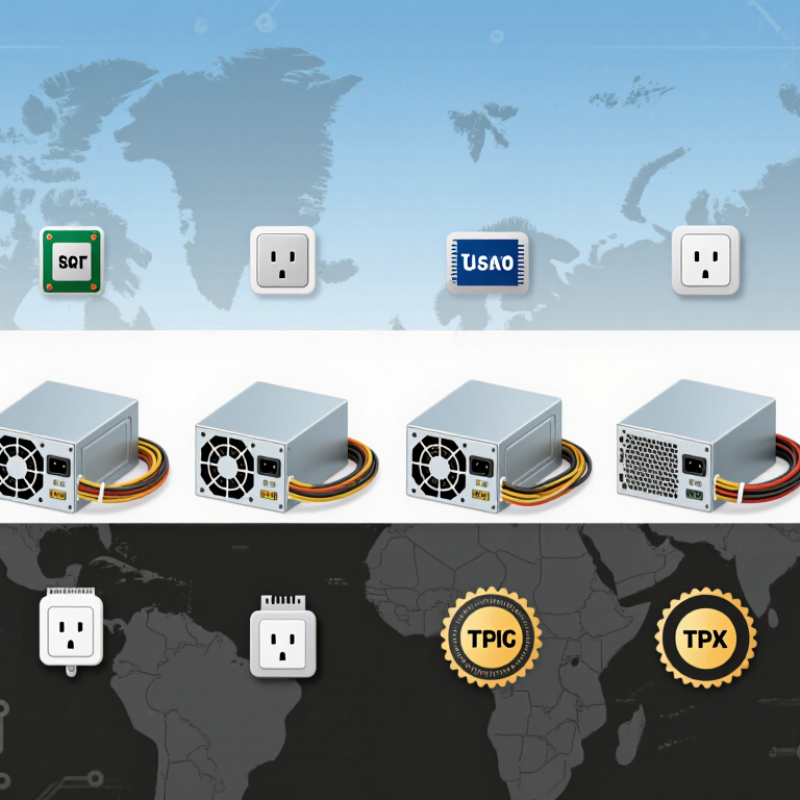
Understanding Computer Power Supply Functions and Standards
A computer power supply converts household AC electricity into stable DC power for the motherboard, processor, storage drives, and graphics hardware. Its main rails usually provide 12V, 5V, and 3.3V outputs. Modern systems depend heavily on the 12V rail.
Protection circuits matter during daily use. Over-voltage, under-voltage, over-current, short-circuit, and over-temperature protection reduce risks during faults. Active power factor correction can also improve electrical behavior and reduce unnecessary input current. Good cooling design keeps internal components within safer operating temperatures. Still, wattage alone can mislead buyers.
Form factors such as ATX and SFX affect physical compatibility, while EPS12V and PCIe connectors support different computer components. Buyers should verify connector quantity, cable length, and case clearance before ordering. Efficiency labels can help compare energy use, but regional testing requirements may differ. Safety compliance should be checked against applicable standards, such as IEC 62368-1, and local certification rules. Input ranges near 100–240V are useful for international markets, but the plug and regional frequency still require attention.
I have seen power selections fail because a buyer trusted a calculator without checking transient demand. That mistake is easy to repeat. Also, efficiency ratings do not prove quiet operation, long service life, or perfect voltage stability. Ripple measurements, warranty terms, protection features, and independent test data deserve equal attention. Real-world selection is messier.
Comparing ATX, SFX, TFX, and Other PSU Form Factors
For global buyers, PSU form factor should match the computer chassis, not personal preference. ATX remains the practical choice for standard desktop towers. It offers broad compatibility, easier replacement, and room for higher continuous power. Check the unit’s depth carefully. A long enclosure can block storage bays or front-mounted cooling.
SFX suits small-form-factor systems where every millimeter matters. It usually delivers strong power in a compact frame, but its shorter cables may complicate cable routing.
TFX is slimmer and often fits narrow office desktops or compact workstations. Flex ATX supports even tighter layouts, although fan noise and limited upgrade capacity deserve attention.
Some prebuilt systems use proprietary dimensions. Replacement can become difficult, and adapters may create avoidable reliability concerns. I once focused too heavily on wattage and overlooked connector length. That mistake made installation unnecessarily awkward.
Tips: Measure the chassis, mounting points, and cable paths before ordering. Confirm input voltage compatibility for the destination market. Review continuous output, protection features, efficiency testing, and required safety approvals. A realistic power estimate is better than choosing the largest number. Leave moderate headroom for startup loads and future storage upgrades. Also inspect operating temperature ratings, especially for hot shipping regions. Specification sheets can be incomplete, so request drawings and connector details from the supplier.
Evaluating Wattage, Efficiency Ratings, and Power Delivery
Choosing a computer power supply starts with measured demand, not the largest number on the box. A graphics-heavy workstation may draw 500 watts during rendering, then fall below 100 watts at idle. Add 25% to 35% headroom for transient spikes, dust buildup, and future upgrades. More is not always better.
Efficiency affects heat, noise, and operating cost. The 80 PLUS certification table reports minimum efficiency at 20%, 50%, and 100% loads. Under its 115-volt test conditions, Gold units reach 90% at 50% load, while Platinum reaches 92% and Titanium reaches 94%.
These figures are useful, but they do not describe every operating point. Real efficiency can vary with temperature, input voltage, and component aging. That is easy to forget.
For global buyers, check the input range and local electrical requirements before comparing prices. A supply rated for 100–240 volts supports broader deployment, but regional plugs and certification rules still require verification. The ATX 3.1 power-supply design guide also emphasizes short-duration power excursions, including demands far above the printed rating. This matters when a modern processor or graphics card changes load in milliseconds.
Lawrence Berkeley National Laboratory’s 2024 United States Data Center Energy Usage Report estimates that U.S. data centers used 176 terawatt-hours in 2023. Even small efficiency losses scale quickly across fleets.
Independent testing remains valuable because certification labels cannot reveal ripple, fan behavior, or transient stability. I would not rely on wattage alone.
Selecting PSU Features for Gaming, Workstations, and Servers
2026 Top Computer Power Supply Types for Global Buyers
Selecting PSU Features for Gaming, Workstations, and Servers
Gaming systems need more than a large wattage number. Modern graphics cards can create brief power spikes, so buyers should check ATX 3.1 compliance and the stated transient response. A 750W unit may suit a mid-range build, while a high-end system may need 1,000W or more. Efficiency also matters. The U.S. Environmental Protection Agency’s ENERGY STAR program continues to emphasize efficient power conversion, especially during common partial-load use. Quiet cooling is useful too, but fan noise often rises sharply near full capacity.
Workstations require stable output during long rendering, simulation, or machine-learning sessions. Choose strong 12V delivery, high-quality capacitors, sufficient native connectors, and protection against overvoltage, overcurrent, and overheating. The International Energy Agency reported that data-center electricity demand could reach about 945 TWh by 2030, nearly double 2022 levels. This pressure makes efficiency more than a technical detail. It affects heat, cooling cost, and facility design. I would not trust a calculator alone. Real workloads vary.
Tips: Leave 20–30% capacity headroom, verify regional input voltage, and inspect warranty terms. Servers usually need redundant, hot-swappable supplies, higher efficiency ratings, and compatibility with rack power distribution. A single high-wattage unit can be cheaper, but redundancy protects uptime. The Uptime Institute’s annual surveys repeatedly identify power-related incidents among serious data-center outage causes. That warning deserves attention. Even experienced buyers sometimes prioritize peak wattage over serviceability, which can become an expensive mistake.
Matching Global Voltage Requirements and Safety Certifications
Global computer power supplies must match local voltage systems, not just wattage targets. Many current units support 100–240V AC and 50/60Hz automatically. This range suits major markets, but buyers should confirm the exact input label. Some regions still require different plugs, fuses, or installation practices. A 230V office in Germany differs from a 120V workspace in Canada.
Safety certification needs equal attention. Look for approval marks relevant to the destination, such as CE, UKCA, UL, CSA, or CB Scheme documentation. These marks should match the precise model, voltage range, and production revision. A printed logo alone proves little. Request a certificate number, test report, and authorized laboratory details. Check protection features too, including over-voltage, over-current, short-circuit, and over-temperature protection.
Details matter. A 750W unit may fit a workstation, yet poor voltage stability can damage sensitive components. Buyers should review efficiency at typical loads, cable insulation, grounding, and operating temperature. In procurement reviews, a common mistake is trusting a universal-input label without checking regional compliance. That shortcut can delay customs clearance or invalidate a warranty. Certification databases can also be difficult to interpret. Recheck them. Even experienced teams miss small suffixes in model numbers, and those differences may represent different safety approvals.
| Power Supply Type | Typical Form Factor | Typical Output Range | Typical AC Input Range | Global Voltage Compatibility | Efficiency Options | Common Safety and Compliance Targets | Best-Fit Applications |
|---|---|---|---|---|---|---|---|
| ATX 3.1 | Standard desktop ATX | 450–1,600 W | 100–240 V AC, 50/60 Hz | Universal input; suitable for 100 V, 110–120 V and 220–240 V markets when the unit is certified for the destination country | 80 PLUS Bronze through Titanium; active power factor correction is common | IEC/EN/UL/CSA 62368-1; EMC requirements; RoHS where applicable; CE or UKCA marking according to market requirements | Modern desktop PCs, workstations and systems using high-performance graphics hardware |
| ATX 3.0 | Standard desktop ATX | 450–1,300 W | 100–240 V AC, 50/60 Hz | Universal input for most international markets; verify local plug, marking and documentation requirements | 80 PLUS Bronze through Titanium; designed for higher short-duration power excursions | IEC/EN/UL/CSA 62368-1; applicable EMC standards; RoHS where required; regional conformity marking | Gaming desktops, creator workstations and general-purpose performance PCs |
| SFX | Compact small-form-factor desktop | 300–850 W | 100–240 V AC, 50/60 Hz | Usually compatible with worldwide nominal voltage systems through automatic input switching | 80 PLUS Bronze through Platinum | IEC/EN/UL/CSA 62368-1; EMC compliance; RoHS where applicable; CE or UKCA for relevant markets | Mini-ITX and compact gaming computers with limited internal space |
| SFX-L | Extended-depth small-form-factor desktop | 500–1,000 W | 100–240 V AC, 50/60 Hz | Broad international compatibility when the input is rated for 100–240 V AC | 80 PLUS Gold through Platinum is common | IEC/EN/UL/CSA 62368-1; applicable EMC requirements; RoHS and regional conformity marking | Higher-power compact PCs requiring more cooling capacity than standard SFX units |
| TFX | Slim desktop and low-profile tower | 250–500 W | 100–240 V AC, 50/60 Hz | Generally supports worldwide mains ranges when specified as universal input | 80 PLUS Bronze through Gold | IEC/EN/UL/CSA 62368-1; EMC compliance; RoHS where required; destination-market marking | Business desktops, slim towers, point-of-sale computers and office systems |
| Flex ATX | Very compact 1U-style desktop | 250–600 W | 100–240 V AC, 50/60 Hz | Typically universal input; confirm thermal derating at local ambient temperatures | 80 PLUS Bronze through Platinum | IEC/EN/UL/CSA 62368-1; EMC requirements; RoHS where applicable; CE or UKCA as required | Ultra-compact desktops, embedded systems and small rackmount enclosures |
| Redundant Server PSU | 1U, 2U or modular hot-swap design | 750–3,000 W per module | 90–264 V AC, 47–63 Hz is common | Designed for international data-center voltage ranges; check input derating and power-cord approvals | 80 PLUS Gold through Titanium; high efficiency is important for continuous operation | IEC/EN/UL/CSA 62368-1; CISPR/FCC EMC requirements; RoHS where applicable; regional conformity marking | Servers, storage systems, network appliances and high-availability infrastructure |
| External AC/DC Adapter | Desktop or wall-mounted external brick | 45–330 W | 90–264 V AC, 47–63 Hz is common | Commonly supports 100–240 V AC; the detachable power cord must match the destination plug standard | DoE Level VI and EU CoC Tier 2 efficiency requirements may apply, depending on product category and market | IEC/EN/UL/CSA 62368-1; EMC requirements; energy-efficiency rules; RoHS where applicable | Mini PCs, thin clients, monitors, embedded computers and compact workstations |
| DC-Input Embedded PSU | Internal DC-to-DC module or industrial computer supply | 60–500 W | Usually 9–36 V DC or 18–60 V DC input | Does not connect directly to household AC; requires a separately approved AC/DC front-end or external adapter | Efficiency is specified by the system design rather than the 80 PLUS desktop program | IEC/EN/UL/CSA 62368-1 or applicable industrial safety standards; EMC and RoHS requirements depend on the final system | Industrial PCs, vehicle computers, telecom equipment and automation systems |
Related Posts
-
What Is a PC Power Supply and What Type Do You Need?
-
How to Choose the Right Computer Power Supply for Your Needs?
-
Unlocking Top Performance: The Essential Guide to Choosing the Right PC Power Supply for Gamers in 2023
-

Top 10 Best Computer Power Supplies for Optimal Performance?
-

Top 10 PC Power Supply Options for Global Buyers in 2026?
-
2026 Best PSU for Computers What Should You Consider?

At Premium PSU, we are specialists in designing and manufacturing power conversion systems for the industrial market. Our product range includes high reliability power supplies from 50W to 72kW.
PREMIUM PSU
C/ Dolors Aleu, 19-21, 2nd Floor
08908 – Hospitalet de Llobregat
Barcelona-SPAIN
t.+34 93 223 26 85